The call is in English, and you catch half of it
You follow the words but lose the thread. Afterwards you remember the mood of the meeting and none of the decisions. Two different problems, an hour apart.
Download free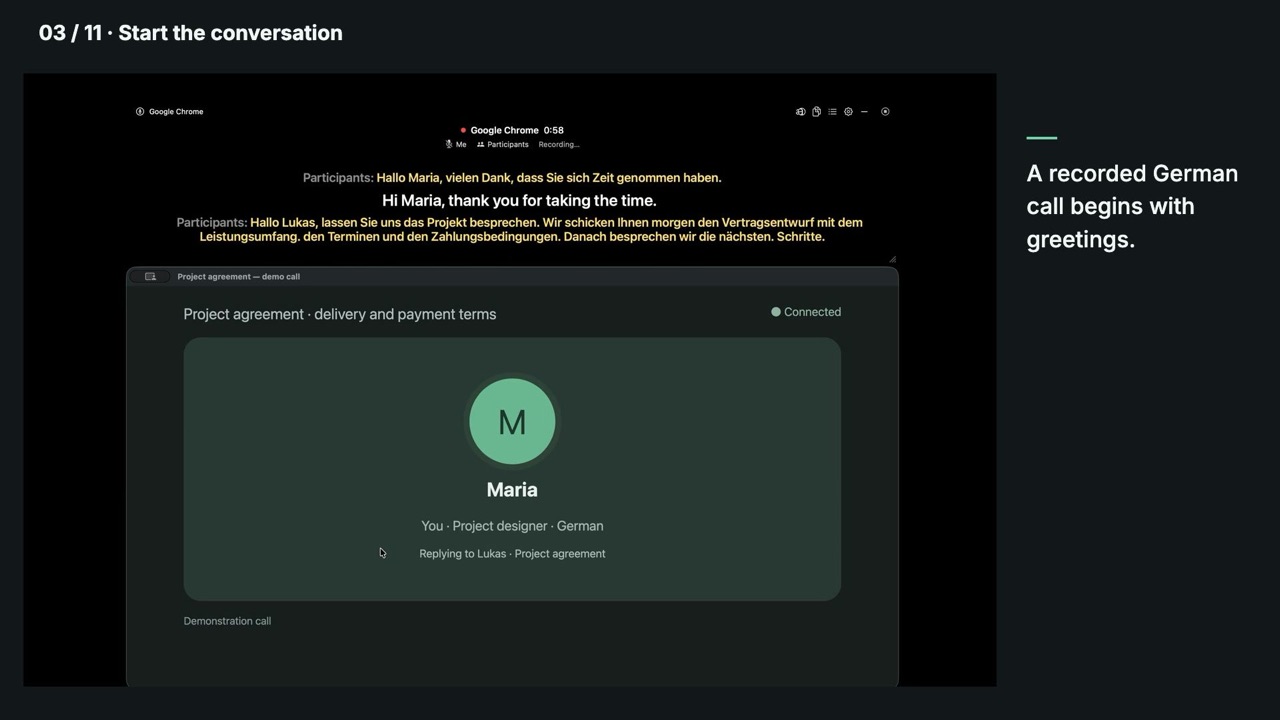
What it looks like
- 1Start subtitles or configure automatic start for selected apps and sites.
- 2Subtitles run over the call with a translation underneath.
- 3Read the language you think in and listen in the one they speak.
- 4After the call, open the transcript in local history.
During the call and afterwards
Follow the conversation now and return to its text after the meeting.
Next to what you use now
They all write good notes. The question is not the quality of the notes.
Your recording is transcribed on your Mac and the transcript lives in local history. For a call under NDA, speech processing without uploading the meeting to the cloud matters.
What it costs
Meeting recording and live subtitles are paid features. Plain dictation — your language in, your language out — stays free forever and needs no account. Everything on this page is opened by the 14-day trial that starts by itself once you sign up in the first-run setup.
Processing on your Mac
Recognition and translation run on your Mac without sending audio or text to the cloud for processing. Meeting audio is saved to disk only if you enable saving and choose a folder.
Dictate in your language into any app. No account, no limits — forever.
14-day free trial — nothing charged until it ends
Download